UMANG App se UAN Allot Activate Authenticate 2026: UMANG App se UAN Allot Activate Authenticate 2026: Ministry of Labour & Employment ne confirm kiya hai ki ab workers UMANG App ke zariye apna UAN (Universal Account Number) aasani se allot, activate aur authenticate kar sakte hain. UMANG (Unified Mobile Application for New-age Governance) par EPFO (Employees’ Provident Fund Organisation) ki saari services ab mobile se seedha available hain — bina kisi office jaaye. Yeh khaaskar un shramikon ke liye bahut faydemand hai jo pehle UAN se judi problems face karte the. UMANG App se UAN kaise banayein, activate karein aur authenticate karein — poori step-by-step jankari neeche di gayi hai.
To get a new UAN allotted, activated, and authenticated via the UMANG App in 2026, select the “UAN Allotment and Activation” or “Face Authentication” option within the EPFO services. Enter your Aadhaar number and registered mobile number, and perform a face scan using the Face RD App to instantly obtain and activate your UAN.
UAN Services via the UMANG App (2026 Process)
UAN Allotment (Generating a New UAN):
- Open the UMANG App and search for “EPFO”.
- Select either “UAN Allotment and Activation” or “UAN Services Through Face Auth”.
- Enter your Aadhaar number and the mobile number linked to it.
- Enter the OTP to validate.
- Provide your consent for ‘Face Authentication’ (Face Scan).
- Complete the face scan using the Face RD App.
- Once the scan is successful, a new UAN will be generated and sent to you via SMS.
UAN Activation
- If you already have a UAN, select the “UAN Activation” option.
- Enter your UAN, Aadhaar number, and mobile number.
- Enter the OTP and activate via Face Authentication.
UAN Authentication (Authenticate/KYC):
- This ensures that your data is secure and linked to your Aadhaar.
- By using the “Face Authentication” section, you can authenticate your existing UAN with Aadhaar, thereby enhancing its security and reliability.
Important Information:
- Face RD App: It is mandatory to have the Aadhaar Face RD App installed on your phone for Face Authentication.
- Feature: A new UAN can now be generated solely through Aadhaar-based Face Authentication (FAT).
Note: Please ensure that your mobile number is linked to your Aadhaar, as this entire process is OTP-based.
FAQ
Q1. UMANG App se UAN kaise allot karein?
- UMANG App download karo (Google Play Store ya App Store se) → EPFO section mein jaao → “UAN Allotment” option select karo → Aadhaar number aur mobile number daalo → OTP verify karo → UAN turant allot ho jaayega. Pehli baar PF account banate waqt yeh process follow karo.
Q2. UAN ko UMANG App se activate kaise karein?
- UMANG App open karo → EPFO section → “Activate UAN” option chunno → Apna UAN number aur registered mobile number daalo → OTP enter karo → Password set karo → UAN activated ho jaayega. Activate hone ke baad hi EPFO ki saari services use kar sakte hain.
Q3. UAN authenticate karne ka kya matlab hai?
- UAN authentication ka matlab hai apni identity verify karna — Aadhaar, PAN ya bank account se UAN ko link karna. UMANG App mein EPFO section mein “Authenticate UAN” option se yeh kaam gharon baithe ho jaata hai. Authentication ke baad hi PF withdrawal aur transfer properly kaam karta hai.
Q4. UMANG App par EPFO ki kaunsi services milti hain?
- UMANG App par EPFO ki yeh services available hain — UAN allot karna, UAN activate karna, UAN authenticate karna, PF balance check karna, PF withdrawal claim karna, KYC documents update karna, passbook dekhna aur PF transfer request karna.
Q5. UMANG App kaise download karein?
- UMANG App Android ke liye Google Play Store par aur iPhone ke liye Apple App Store par free mein milti hai. “UMANG” search karo → Ministry of Electronics & IT ki official app install karo → Mobile number se register karo → EPFO section choose karo.
Q6. Kya UMANG App se UAN banane ke liye koi charge lagta hai?
- Nahi — UMANG App bilkul free hai aur UAN allot, activate aur authenticate karna bhi poori tarah niःshulk (free) hai. Koi bhi agent ya third-party ko paise mat do — yeh saari services seedha UMANG ya EPFO ki official website se free mein hoti hain.
Q7. Agar UMANG App se UAN nahi mil raha toh kya karein?
- EPFO ki official website epfindia.gov.in par seedha jaao → “Our Services” → “For Employees” → UAN allotment form bharo. Ya EPFO helpline 1800-118-005 (toll-free) par call karo. Apne employer se bhi UAN allot karwa sakte hain — niyoktaon ki bhi zimmedari hai UAN allot karna.
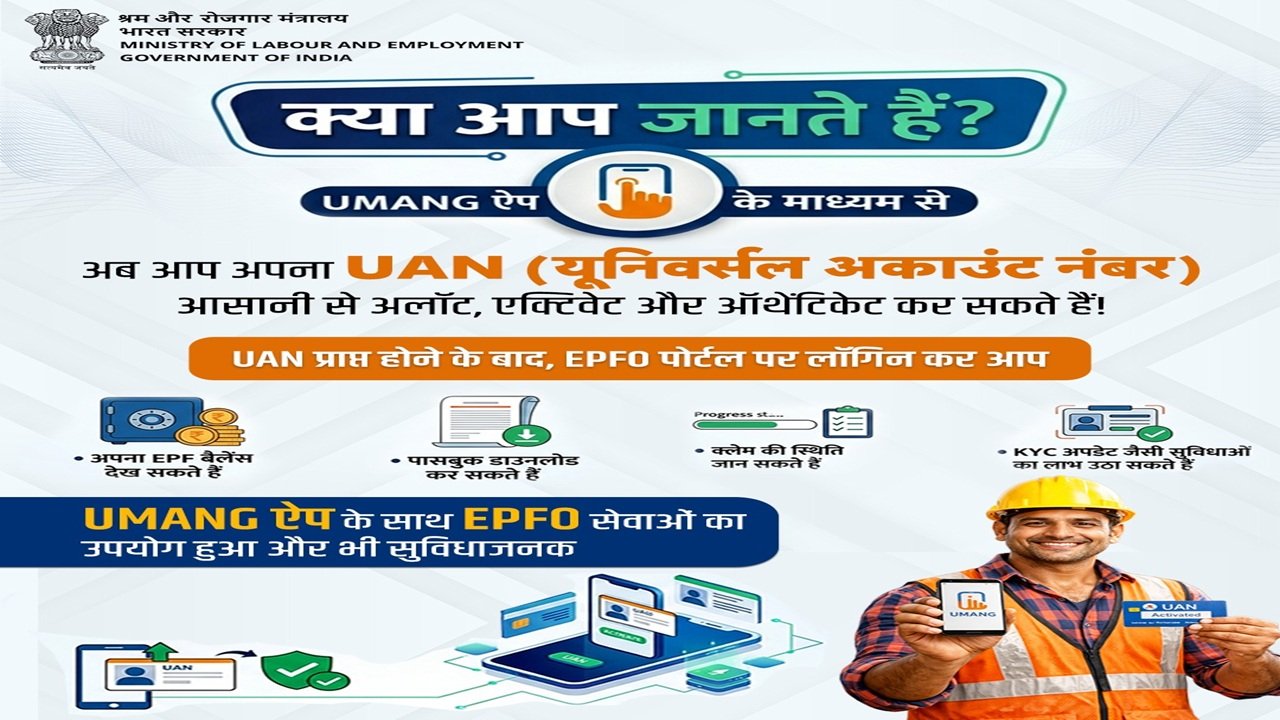
UMANG App se UAN Allot Activate Authenticate 2026
 Join WhatsApp
 Join Facebook
 Follow X (Twitter)
 Follow Telegram